How to Factory Reset a Cermate PT070 HMI Without SD Card
Table of Contents
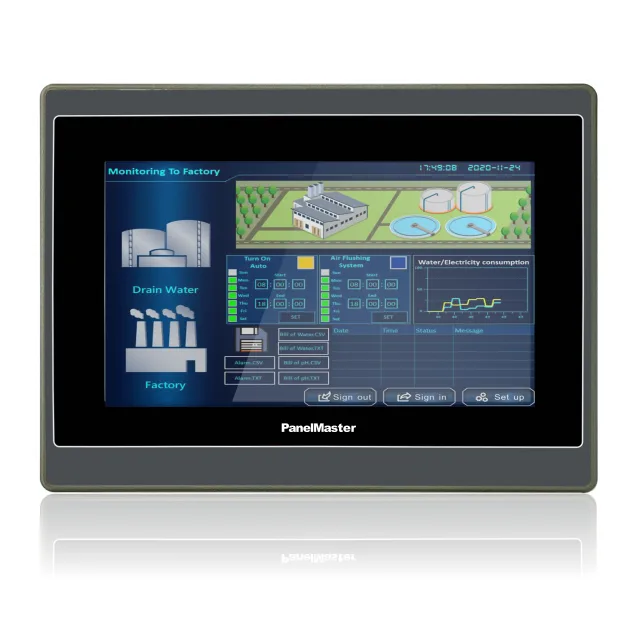
The Cermate PT070 is a 7-inch widescreen industrial HMI commonly used with Siemens, Mitsubishi, Delta, and Modbus-based PLCs. When the panel is locked, running a corrupted project, or showing an incorrect password screen, a factory reset returns it to its out-of-box state — clearing all downloaded projects, user data, and custom settings.
The most common way to factory reset a Cermate HMI is to load a reset package via microSD card. But if you do not have a microSD card — or the card slot is inaccessible — there are two methods that work without one:
- Method 1 — Startup Touch Sequence: Accesses the built-in system setup screen at boot
- Method 2 — PM Designer via USB: Performs a factory reset from a connected Windows PC
Before You Start
A factory reset on the PT070 will erase:
- All downloaded HMI projects (screens, tags, alarms)
- Logged data stored on the HMI (data logs, alarm history)
- Custom user passwords
- Network and communication settings stored in user space
It will not erase the panel firmware itself. The panel will reboot to a clean state running its factory firmware version.
Make sure you have a backup of your HMI project file in PM Designer on your PC before resetting. If you do not have a backup and the panel is still partially functional, use PM Designer's Upload function first to retrieve the project before resetting.
Method 1 — Startup Touch Sequence (No SD Card, No PC Required)
This method uses a built-in diagnostic mode accessible at boot via a specific touch gesture. It works on the PT070 and most other Cermate HMIs.
Steps
- Power off the PT070 completely.
- Locate the bottom-left corner of the touchscreen (approximately the bottom 20% and left 20% of the display area).
- Press and hold that corner with your finger before powering on. Keep holding.
- While still holding, power on the PT070 by connecting power or pressing the power button.
- Continue holding for approximately 5 seconds after the backlight comes on.
- The System Setup screen will appear — a menu screen that is separate from any downloaded HMI project.
- In the System Setup screen, tap System → Format User Space (sometimes labelled "Clear Data" or "Initialize Flash").
- Confirm when prompted. The panel will format its user storage and reboot.
- After rebooting, the panel will show a blank screen or the default splash — indicating a successful factory reset.
Tip: If the System Setup screen does not appear on the first attempt, repeat the process — the timing of the hold relative to power-on sometimes needs a second try. Try holding the corner at the exact moment you see the backlight activate.
Alternative corner: On some PT070 firmware revisions, the touch zone is in the top-right corner rather than the bottom-left. If bottom-left does not work after two attempts, try top-right using the same procedure.
Method 2 — PM Designer via USB (PC Required)
If the startup touch sequence does not work (for example, if the touchscreen itself is unresponsive), you can perform a factory reset using Cermate's PM Designer software on a Windows PC connected to the PT070 via USB.
Requirements
- Windows PC with PM Designer installed (compatible version for PT070)
- USB cable (standard PT070 connection cable)
- PT070 powered on
Steps
- Connect the PT070 to your PC using the USB cable.
- Open PM Designer on the PC.
- Go to Compile → Download to open the download window.
- In the download window, select the connection type as USB.
- Create a new blank PM Designer project (File → New), set the HMI model to PT070, and download it to the device. This overwrites the existing project and clears all user data.
- Alternatively, look for a Clear HMI Data or Initialize option in the download settings — this erases all project data without needing a new project file.
- Once the download completes, power cycle the PT070. It will boot with the blank project — equivalent to a factory reset state.
Note: This method requires that the PT070 is at least partially powered and able to enter USB communication mode. If the firmware is corrupted (panel shows garbled display or does not boot at all), you will need to use the SD card firmware recovery method — in that case, contact TSL Automation for assistance.
After the Factory Reset
Once the PT070 has been factory reset:
- Open your HMI project file in PM Designer on your PC.
- Connect the PT070 via USB or Ethernet.
- Download the project to the panel (Compile → Download).
- Power cycle the PT070 to apply the downloaded project.
- Test all PLC communications and screen functions before putting the panel back into service.
Common Reasons for Factory Resetting the PT070
- Forgotten password: If a user password was set in the PM Designer project and the password is lost, a factory reset is the only way to regain access without the original project file.
- Corrupted project: If a partial download or power interruption during download left the project in a corrupted state, causing the panel to freeze or show errors on boot.
- Repurposing the HMI: Wiping an HMI before reassigning it to a different machine or PLC setup.
- Communication errors after firmware update: Resetting to a clean state after a firmware upgrade to clear any legacy settings conflicts.
Need Help with Your Cermate PT070?
TSL Automation Solutions is the authorised Cermate distributor for India. If you need technical support for your PT070 — including firmware downloads, PM Designer project recovery, or hardware servicing — our team can assist.
- Contact us at info@tslautomation.com
- Visit our product pages for the full Cermate HMI range
We carry the complete Cermate portfolio including the PT series (PT043, PT056, PT070, PT100, PT121) and larger XL-series panels, and can supply PM Designer software, USB cables, and replacement units with fast India delivery.
Frequently Asked Questions
Sanjana Lamba
Head of Marketing, TSL Automation Solutions
Sanjana covers industrial automation trends, product launches, and technology insights for TSL Automation Solutions, a Mumbai-based distributor of HMI, Panel PC, and embedded computing systems serving manufacturers across India and globally.
Need help choosing the right product?
Our team in Mumbai can recommend the right HMI, Panel PC, or embedded system for your application.
Contact TSL Automation