
Section 6.3.2 · Chapter 6: Lamps
Message Display - Operation Options
The following operation option can be added to a message display. You need to select and set this option in the Message Display dialog box.
|
Operation |
Description |
|---|---|
| Marquee |
The displayed message scrolls automatically in the
specified direction. When the displayed message is not
long enough to cover the entire display area, the
message is duplicated to fill the uncovered area in
sequence.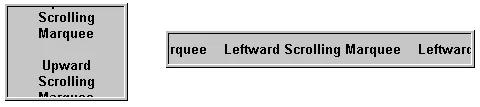 |
| Visibility Control | The object can be shown or hidden either by a specified bit or by the current user level. Select and set this option in the Visibility page. |
Need PM Designer itself?
V4 for current PK, PT, ITV and PM panels, V2 for older models. Free, sent by email.
Source.Section 6.3.2 of the PM Designer Software User Manual, Edition 2.0, © Cermate Technologies Inc. (www.cermate.com, service@cermate.com). Reproduced online, with the manual's own figures, by TSL Automation Solutions, authorised Cermate distributor, for users of Cermate HMI panels. PM Designer and PanelMaster are trademarks of Cermate Technologies Inc.
Text and figures are the manufacturer's and may describe features your panel or software version does not have. For a plain-language introduction read the PM Designer guide; for help with a specific panel contact TSL Automation.