
Section 8.2.6 · Chapter 8: Graphs and Charts
Anti-collision system for tower cranes
A meter can be used to display the tower crane in the anti-collision system. The following is an example of the anti-collision system with three meters. It helps to protect again the cranes on the same runway from colliding.
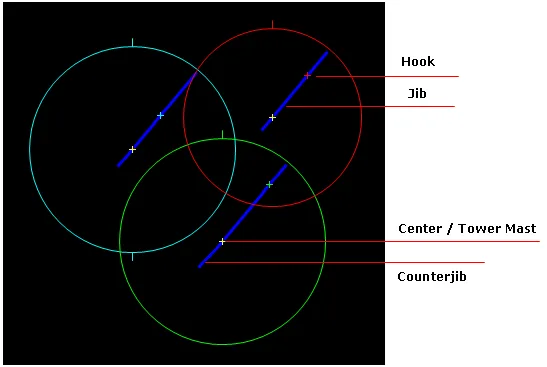
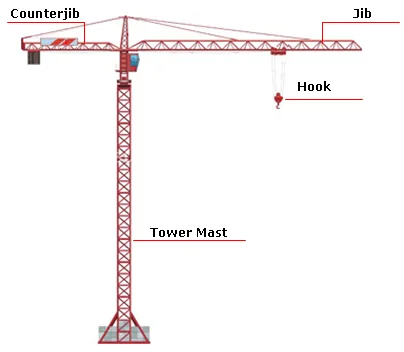
You can command the object to do the following:
1) Rotate the jib to the appropriate place.
2) Move the hook at runtime.
3) Make an arc/circle scale that enables you to measure the rotation angle of the needle and read the current value for the monitored variable.
4) Specify the counterjib length for any type of tower crane.
5) Show the rotation orbit with different type of swing.
6) Specify the rectangle viewable area to keep the tower crane working in.
Need PM Designer itself?
V4 for current PK, PT, ITV and PM panels, V2 for older models. Free, sent by email.
Source.Section 8.2.6 of the PM Designer Software User Manual, Edition 2.0, © Cermate Technologies Inc. (www.cermate.com, service@cermate.com). Reproduced online, with the manual's own figures, by TSL Automation Solutions, authorised Cermate distributor, for users of Cermate HMI panels. PM Designer and PanelMaster are trademarks of Cermate Technologies Inc.
Text and figures are the manufacturer's and may describe features your panel or software version does not have. For a plain-language introduction read the PM Designer guide; for help with a specific panel contact TSL Automation.