
Section 8.2.1 · Chapter 8: Graphs and Charts
Meter - Basic Operations
A meter shows the value of a monitored variable by rotating its needle to the appropriate place. When the value of the variable increases or decreases, the rotation angle of the needle increases or decreases accordingly. A meter can have an arc/circle scale that enables you to measure the rotation angle of the needle and read the current value for the monitored variable. A meter can be configured to perform one of the following swing types:
| Span and Origin | 360° & 90° | 360° & 0° | 360° & 270° | 360° & 180° |
|---|---|---|---|---|
| Example |
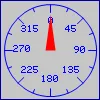 |
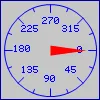 |
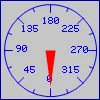 |
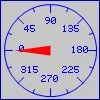 |
| Span and Origin | 270° & 45° | 270° & 315° | 270° & 225° | 270° & 135° |
| Example |
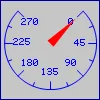 |
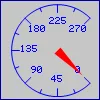 |
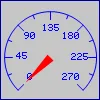 |
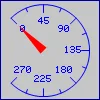 |
| Span and Origin | 180° & 90° | 180° & 0° | 180° & 270° | 180° & 180° |
| Example |
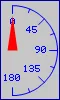 |
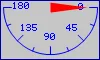 |
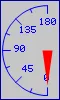 |
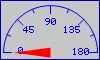 |
| Span and Origin | 90° & 90° | 90° & 0° | 90° & 270° | 90° & 180° |
| Example |
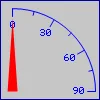 |
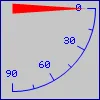 |
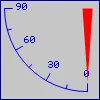 |
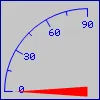 |
| Span and Origin | 90° & 45° | 90° & 315° | 90° & 225° | 90° & 135° |
| Example |
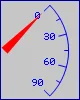 |
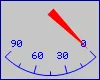 |
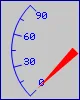 |
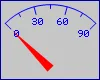 |
Note: The appearance of meters' needle and scale is improved by the anti-aliasing graphic functions.
You can complete all the settings of a meter in the Meter property sheet. This sheet contains the following four pages.
■ General
Described in Section 8.2.4.
■ Range
Described in
Section
8.2.5.
■ Scale
Described in
Section
4.4.4.
■ Visibility
Described in
Section
4.4.6.
Need PM Designer itself?
V4 for current PK, PT, ITV and PM panels, V2 for older models. Free, sent by email.
Source.Section 8.2.1 of the PM Designer Software User Manual, Edition 2.0, © Cermate Technologies Inc. (www.cermate.com, service@cermate.com). Reproduced online, with the manual's own figures, by TSL Automation Solutions, authorised Cermate distributor, for users of Cermate HMI panels. PM Designer and PanelMaster are trademarks of Cermate Technologies Inc.
Text and figures are the manufacturer's and may describe features your panel or software version does not have. For a plain-language introduction read the PM Designer guide; for help with a specific panel contact TSL Automation.